AI-assisted measurement tools in the viewer
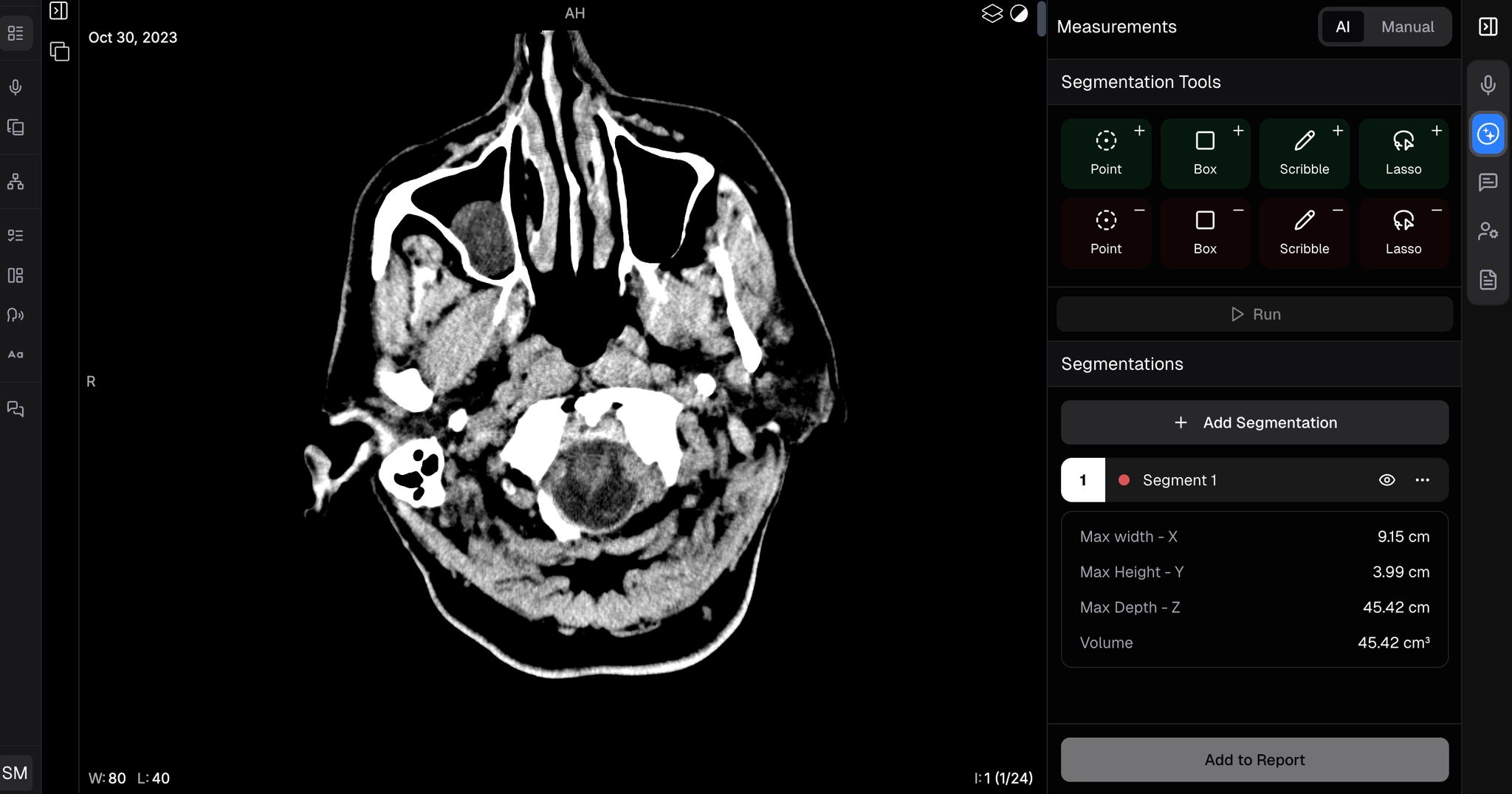
AI-assisted measurement tools in RadioView.AI segment a lesion from a point or a box, measure it in three dimensions, and add the findings to the report for the radiologist to review.
RadioView.AI™Update
Key Features
Automated Segmentation & Volumetric Calculations
Select from point or box segmentation tools, draw overlays on lesions, and let AI analyze dimensions instantly. Width, height, depth, and volume metrics are displayed as real-time measurement overlays.
Multi-Modality Image Access
Access and measure across CT, MRI, X-Ray, and ultrasound studies from a single unified viewer.
Auto-Populated Report Generation
Findings are automatically added to the focal lesion sections of radiology reports, no manual data entry required. Adjust AI results as needed before finalizing.
Workflow
- Select segmentation tool (point or box options)
- Draw overlay on the target lesion
- Run AI analysis
- Review and adjust results as needed
- Add findings to report automatically
Getting Started
Start a free trial at radioview.ai to experience AI-assisted measurement tools in your workflow.

 SaveLife.AI TeamSaveLife.AIAll updates